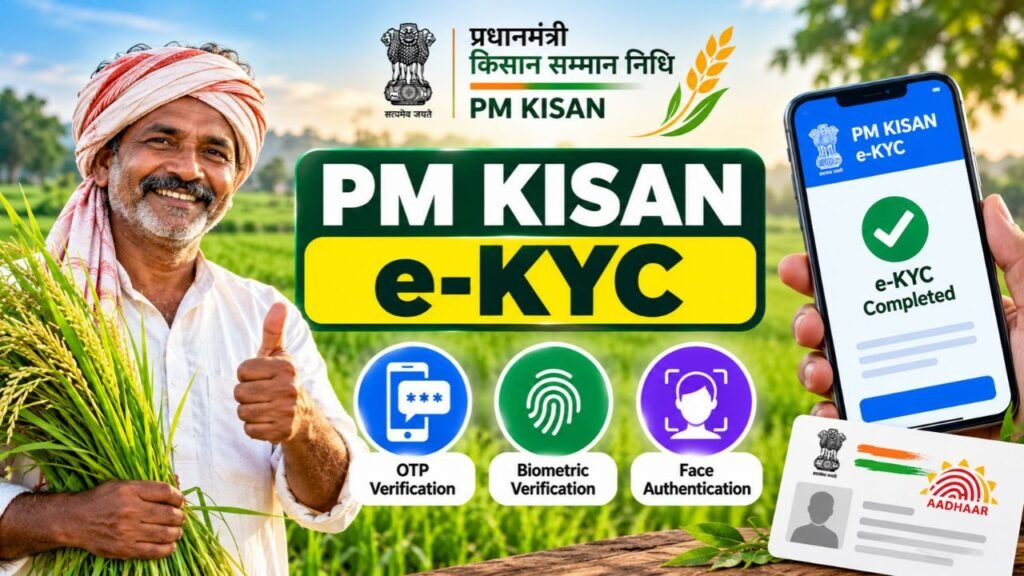
Pradhan Mantri Kisan Samman Nidhi (PM-KISAN) Yojana continues to provide crucial financial support to eligible farmer families across India. Under the scheme, the Government of India provides ₹6,000 annually to eligible beneficiaries in three instalments of ₹2,000 each, transferred directly to their bank accounts through Direct Benefit Transfer (DBT).
In the latest update, the Hon’ble Prime Minister Shri Narendra Modi is scheduled to release the 24th instalment of PM-KISAN on 30 October 2026 in Banaskantha, Gujarat. According to the programme details, more than 9.34 crore beneficiary farmers are set to receive financial assistance worth over ₹18,690 crore. As per PM Kisan Portal, in April – July 2026-27 instalment period 9,44,65,646 farmers have been benefited through this scheme.
But with this latest instalment update, farmers also need to register for PM Kisan e-KYC which is now mandatory. The government has also highlighted biometric-based e-KYC availability through Common Service Centre (CSC) Village Level Entrepreneur (VLE) logins, the PM-KISAN mobile application and authorised state-user logins.
For farmers preparing for upcoming instalments, including the April-July 2027-28 cycle, checking e-KYC status and ensuring beneficiary details are accurate can help avoid preventable verification-related delays. Through this article, farmers can know how PM-KISAN e-KYC works, the three available e-KYC verification methods, how to check your status online, and what to do if authentication fails or your payment is delayed.
PM Kisan e-KYC 2026 Latest Update
| Scheme Name | Pradhan Mantri Kisan Samman Nidhi (PM-KISAN) |
| Launched | February 2019 |
| Ministry | Ministry of Agriculture and Farmers Welfare, Government of India |
| Annual Financial Assistance | ₹6,000 |
| Instalment Amount | ₹2,000 |
| Payment Mode | Direct Benefit Transfer (DBT) |
| Latest Instalment | 24th Instalment |
| Announced Release Date | 30 October 2026 |
| Programme Location | Banaskantha, Gujarat |
| Beneficiaries Announced | Over 9.34 crore farmers |
| Total Funds Announced | Over ₹18,690 crore |
| e-KYC Requirement | Mandatory for registered farmers |
| Available e-KYC Methods | OTP-based, biometric-based and face authentication |
| PM-KISAN Helpline | 011-23381092 |
| Official Website | https://pmkisan.gov.in/ |
What Is PM Kisan e-KYC?
PM Kisan e-KYC is an electronic identity verification process for farmers registered under the Pradhan Mantri Kisan Samman Nidhi (PM-KISAN) scheme. It uses Aadhaar-based authentication to verify beneficiary details and helps ensure that financial assistance reaches eligible farmer families through Direct Benefit Transfer (DBT).
Why Is PM Kisan e-KYC Important?
Completing e-KYC is mandatory for registered PM-KISAN beneficiaries to receive scheme benefits. It helps prevent fraudulent claims, verifies farmers’ identities and supports transparent fund transfers. If e-KYC remains incomplete, payments may be delayed or withheld until verification is completed. However, receiving an instalment also depends on meeting other eligibility and verification requirements.
Documents Required for PM Kisan e-KYC 2026
- Aadhaar Card – Required for Aadhaar-based identity verification.
- Aadhaar-Linked Mobile Number – Needed to receive an OTP for OTP-based e-KYC.
- PM-KISAN Registration Number – Useful for checking beneficiary details and e-KYC status.
- Smartphone with Internet Access – Required to complete online verification or use the PM-KISAN mobile app for face authentication.
- PM-KISAN Mobile App and Aadhaar Face RD App – Required for face-authentication e-KYC, as instructed by the official app.
How to Do PM Kisan e-KYC Online in 2026?
Farmers with an active Aadhaar-linked mobile number can complete PM Kisan e-KYC online from home through the official PM-KISAN portal. Follow these steps to verify your identity:
- Visit the PM Kisan official website: https://pmkisan.gov.in/
- Find and click on the e-KYC option.
- Enter your 12-digit Aadhaar number in the required field.
- Complete the captcha or other verification requested on the screen.
- Click Search or the relevant submit button.
- Enter the OTP received on your Aadhaar-linked mobile number.
- Submit the OTP to complete the authentication process.
- Check your e-KYC status on the portal to confirm that verification was successful.
Note – If your mobile number is not linked to Aadhaar or you cannot receive the OTP, you can use face-authentication e-KYC through the official PM-KISAN mobile app or visit an authorised CSC for biometric verification.
How to Do PM Kisan e-KYC Through Face Authentication?
Farmers can complete PM Kisan e-KYC using face authentication through the official PM-KISAN mobile application, without relying on OTP-based verification. Follow these steps:
- Download the PMKISAN GoI app from the Google Play Store.
- Install the Aadhaar Face RD app as required.
- Open the PM-KISAN app and log in using your registered mobile number.
- Navigate to the beneficiary status page and select the e-KYC or face-authentication option available.
- Enter your Aadhaar number and provide consent for face authentication.
- Allow camera access and position your face according to the on-screen instructions.
- Complete the face scan and wait for the authentication result.
- Check your beneficiary status later to confirm that your e-KYC has been updated.
PM Kisan e-KYC Through Biometric Verification at CSC
Farmers who cannot complete OTP-based e-KYC can visit a Common Service Centre (CSC) or State Seva Kendra (SSK) for biometric verification. Follow these steps:
- Visit your nearest authorised CSC or SSK.
- Carry your Aadhaar card or Aadhaar number and PM-KISAN registration details.
- Ask the operator to complete your PM-KISAN e-KYC.
- Provide your fingerprint or other supported biometric authentication as instructed.
- Allow the operator to submit your verification through the authorised system.
- Collect an acknowledgement or confirmation, if available.
- Check your e-KYC status on the official PM-KISAN portal after verification.
Note – The Ministry’s published e-KYC guidance mentions a ₹15 convenience fee. Confirm the current applicable fee with the service centre before proceeding.
How to Check PM Kisan e-KYC Status 2026?
After completing verification, farmers should check their PM-KISAN e-KYC status to confirm whether the process was successful. Follow these steps:
- Visit the official https://pmkisan.gov.in/ website
- Open the Know Your Status section.
- Enter your PM-KISAN registration number as requested.
- Complete any captcha or OTP verification displayed on the screen.
- Click the relevant submit button to view your beneficiary details.
- Locate the e-KYC status in the displayed information.
- Check whether your verification is marked as completed.
Note: If your e-KYC status still shows pending after 24 hours, check again later. If the issue persists, contact the official PM-KISAN helpdesk or visit an authorised CSC for assistance.
How to Update Your Mobile Number in PM Kisan 2026?
- Visit the official PM-KISAN Mobile Updation page.
- Select the available search option.
- Enter your PM-KISAN registration number or Aadhaar number, as requested.
- Complete the captcha displayed on the screen.
- Follow the on-screen instructions to update your registered mobile number.
- Submit the request and check for confirmation.
Common PM Kisan e-KYC Problems & Their Solutions
- OTP Not Received – Check whether your mobile number is linked to Aadhaar and active. Alternatively, use face authentication or visit an authorised CSC.
- Face Authentication Failed – Clean your phone’s camera, ensure good lighting and follow the app’s face-scanning instructions.
- Fingerprint Verification Failed – Ask the CSC operator to retry biometric authentication or explore another available verification method.
- e-KYC Status Showing Pending – Allow time for the status to update, then check again. If the issue persists, seek assistance through official PM-KISAN channels.
- Aadhaar Details Mismatch – Check that your Aadhaar details match the information in your PM-KISAN records and follow the official correction process if needed.
- Instalment Not Received After e-KYC – Check your beneficiary status, eligibility, land records, bank details and payment information to identify any other pending requirements.
Complete Your PM Kisan e-KYC Today
PM Kisan e-KYC is a crucial step for farmers receiving financial assistance under the PM-KISAN scheme. With OTP, biometric, and face-authentication options available, beneficiaries can choose a suitable verification method. Complete your e-KYC, check your status and keep your records accurate to help avoid unnecessary payment delays.